Free X spam blocker for Chrome

X Spam Blocker

Find the spam accounts on X, then block them in bulk.

X Blocker adds a one-click block icon to every post on X (Twitter) and scans the timeline you are already reading for keywords, regex patterns and hidden-character tricks. Matches land in a candidate list you review — nothing is blocked until you say so.

  • Free, open source, no account
  • Bulk block after you confirm — never behind your back
  • Runs locally: no server, no tracking, no shared blocklist
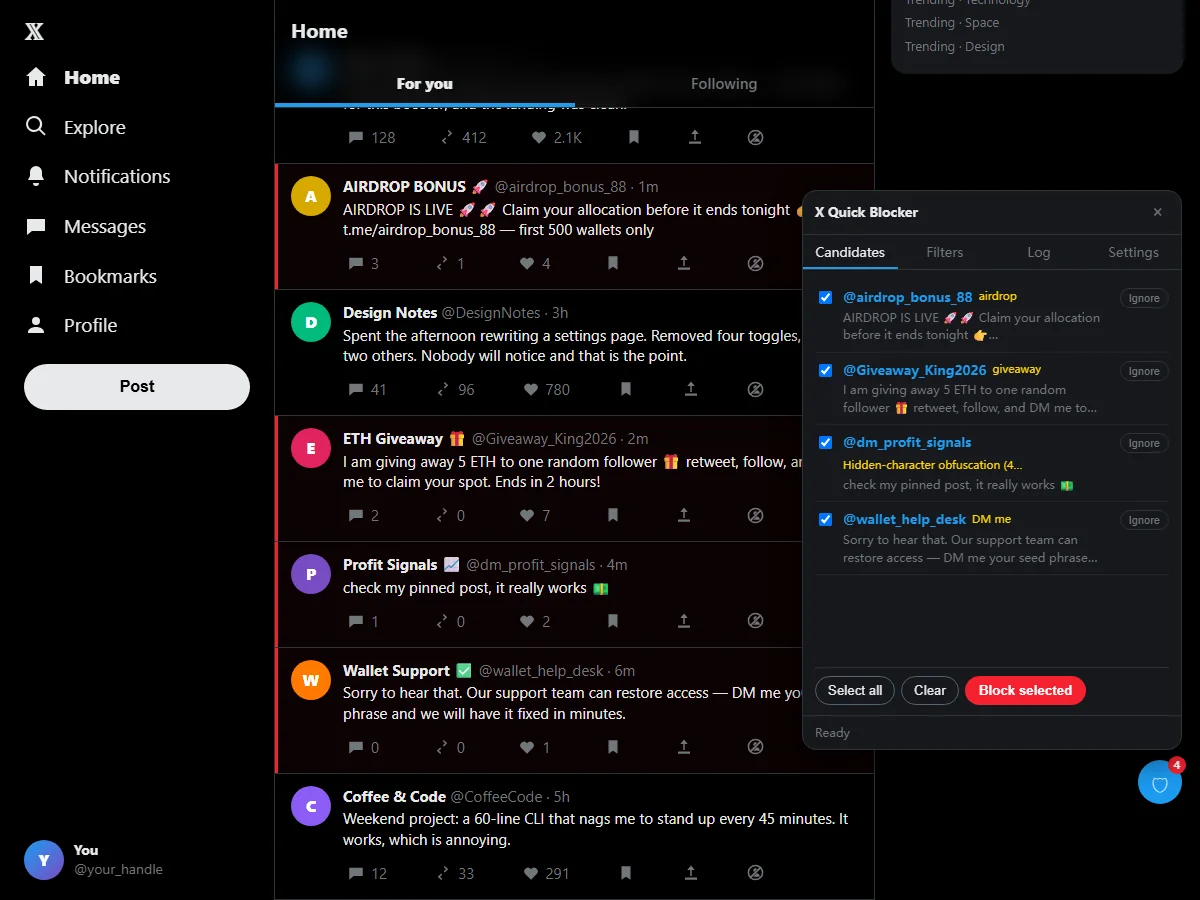
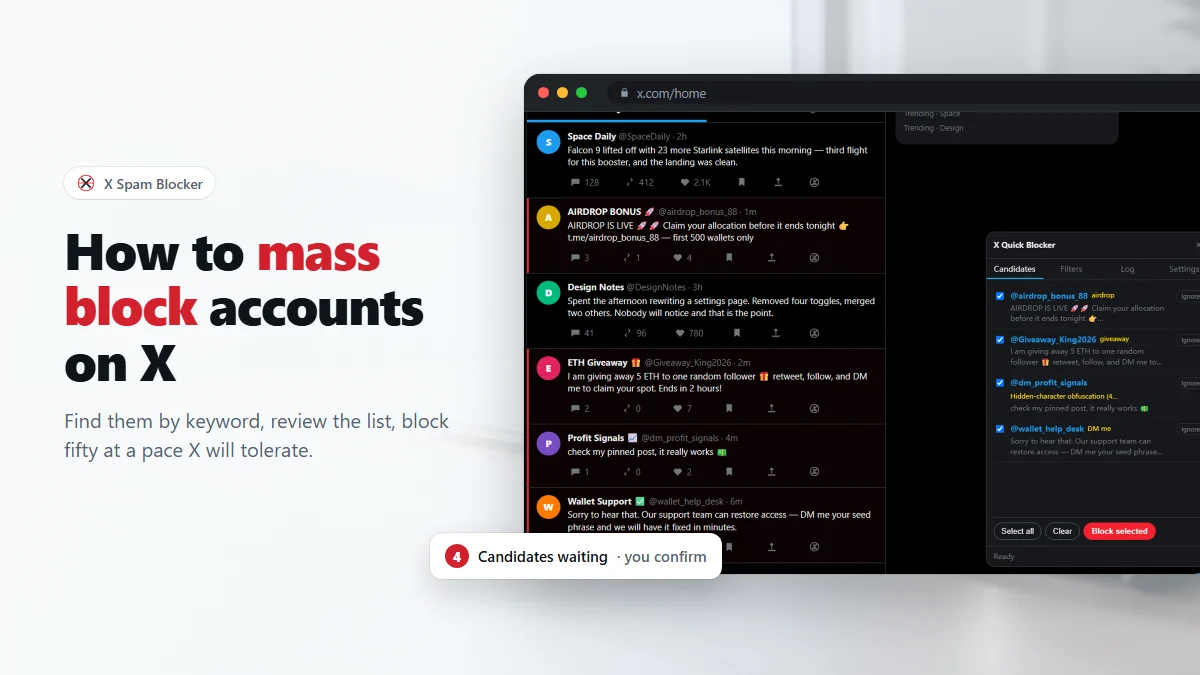
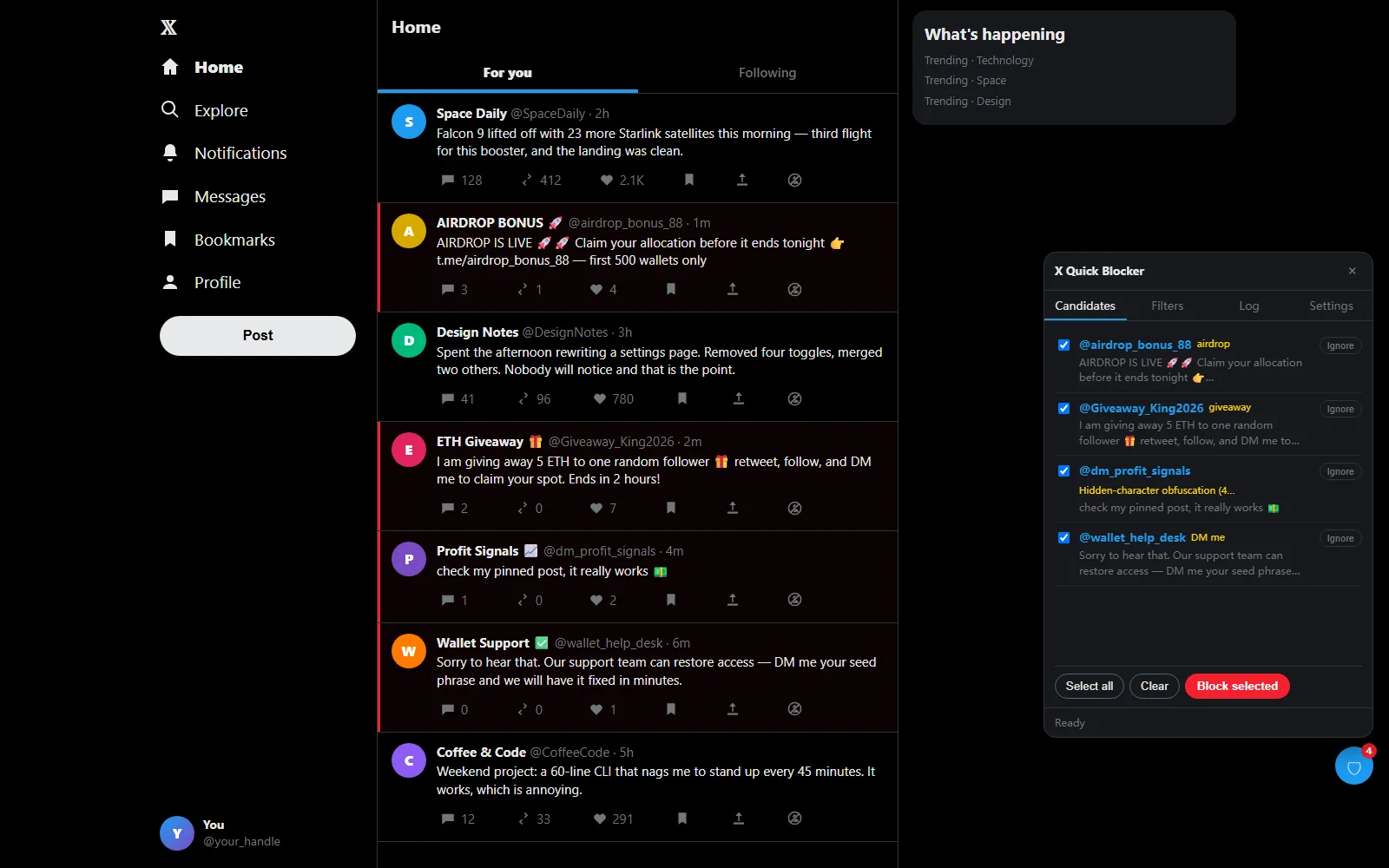
X Spam Blocker: the candidate list of spam accounts next to a Twitter timeline, with a Block selected button

Features

Why use X Spam Blocker

X gives you one block at a time, buried behind a menu. This Twitter spam blocker turns that into one icon per post — and one button for fifty accounts.

One click

One-click block on X, straight from the post

Every post gets a slashed-person icon at the right end of its action bar, next to Share. One click blocks the author — no menu, no confirmation dialog, no scrolling back to find your place. Their posts and replies then disappear from the page you are on, so you can actually see that it worked.

  • Replaces the three-step ⋯ → Block → Confirm flow
  • Grey by default, red on hover, green check when done
  • Failed blocks turn amber and can be retried with a click
One-click block icon in the action bar of an X post, showing the tooltip Block @airdrop_bonus_88

Keywords & regex

Bulk block Twitter accounts by keyword or regex

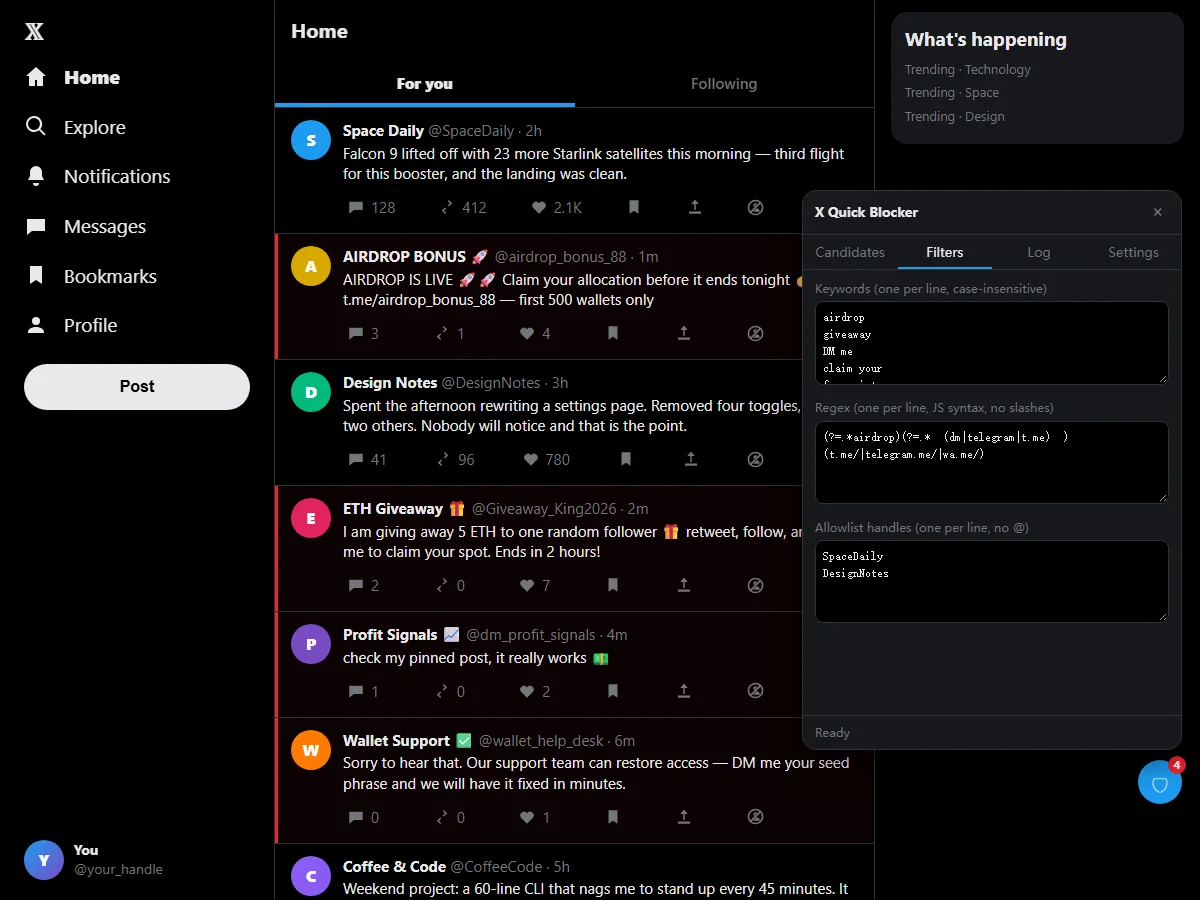
Write the phrases the spam actually uses — airdrop, giveaway, "DM me" — or full JavaScript regular expressions for anything subtler. It matches them against the post text, display name, handle and bio, marks the hits with a red bar and collects the accounts in a candidate list.

  • Keywords are plain substrings, case-insensitive, one per line
  • Regex supports lookahead, so @handle plus a word can be required together
  • Matching the display name and handle catches more bots than matching text alone
The Filters tab of X Blocker with keywords, regex patterns and an allowlist

Hidden characters

Catches the spam that keyword filters miss

The most common way to beat a keyword filter on X is to pad every character of the message with invisible zero-width characters. The post looks completely normal on screen, but no filter can match it. The extension strips those characters before matching, and flags any post that is mostly invisible padding — a rule that keeps working when the wording changes.

  • Zero-width joiners, word joiners and direction marks removed before matching
  • Fullwidth and circled letters folded back to normal ones
  • Emoji, spaces and punctuation used as spacers are ignored
A candidate in X Spam Blocker labelled Hidden-character obfuscation

Safety

Throttled, capped, logged and reversible

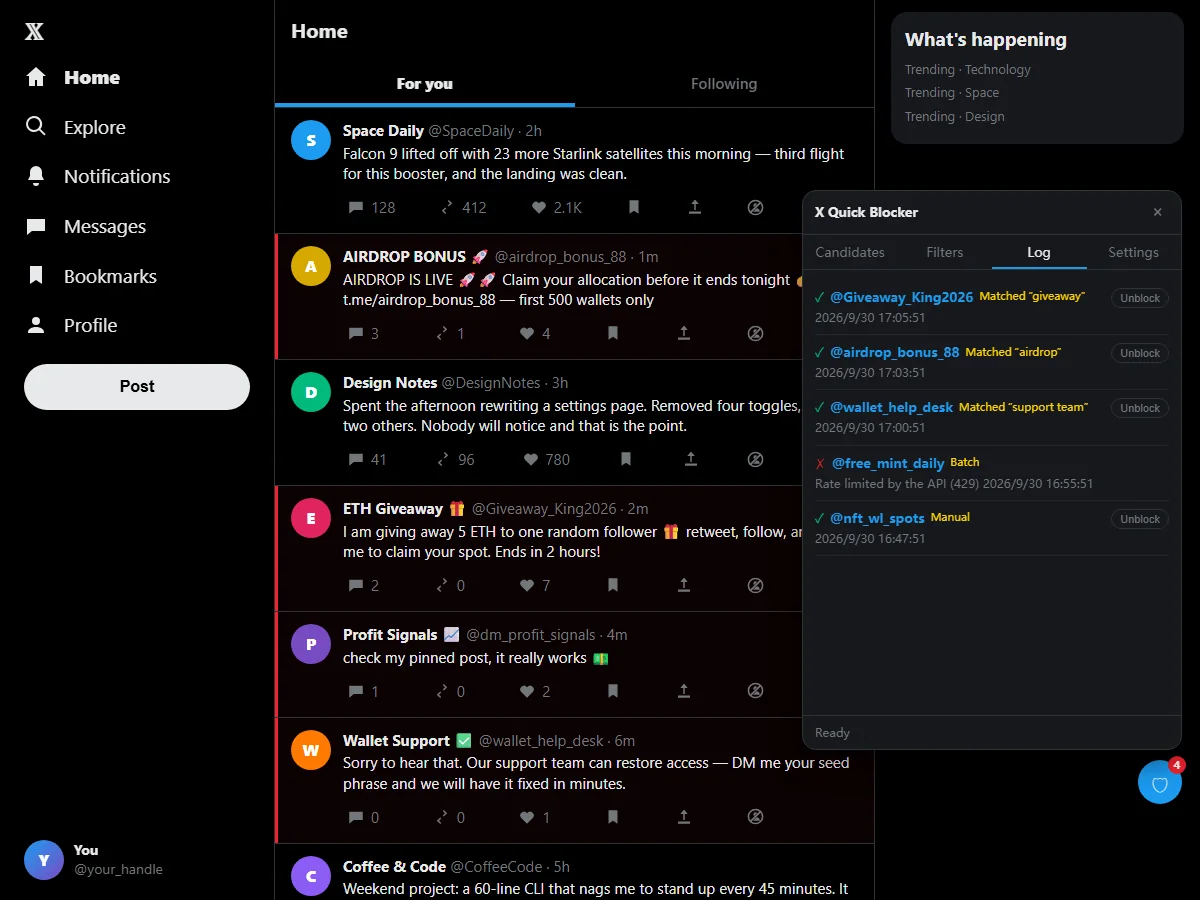
Mass block on Twitter too fast and X starts refusing requests. It blocks one account at a time with a 1.5 second gap plus random jitter, caps each run at 50, and backs off automatically when it is rate limited. Every action is logged with the rule that matched it, and one click unblocks.

  • Adjustable delay, jitter and per-run cap, with conservative defaults
  • Automatic exponential backoff on HTTP 429, up to three retries
  • Allowlist of handles that are never blocked, plus a one-click undo log
The Log tab of X Blocker listing blocked accounts with the matched rule and an Unblock button

About

What is X Spam Blocker?

X Spam Blocker is the shorter name people use for X Blocker, a free, open-source Chrome extension for X (formerly Twitter). X already has a Block button, but it is one account at a time, hidden behind the ⋯ menu, and it does nothing to help you find the accounts worth blocking. This extension fixes both halves of that problem: a single icon on every post for a one-click block on X, and a keyword scanner that gathers spam accounts into a list you can bulk block in one go.

As a Twitter spam blocker it matches your keywords and regular expressions against four fields — the post text, the display name, the handle and the bio — because the accounts flooding your replies usually give themselves away in their name long before they do in a sentence. Hits are marked with a red bar on the timeline and collected in a candidate list. Nothing is blocked until you press the button, and fully automatic mode ships switched off.

It also handles the trick that defeats ordinary filters. Spam replies on X routinely pad every character with invisible zero-width joiners, so a message that reads normally on screen is unmatchable as text. It strips those characters before matching and flags any post that is mostly invisible padding, which catches new wording as well as old. Read the guide on how to mass block accounts on Twitter, or the one on the invisible-character trick.

Because it acts on your own account, an X mass block tool has to be careful. This one blocks accounts one at a time with a 1.5 second gap plus random jitter, caps each run at 50, and backs off automatically when X rate limits it. Every action goes into a log with the rule that triggered it, so a block you regret takes one click to reverse. There is no server, no analytics and no shared blocklist: your filters and your log never leave your browser.

Privacy

A private X spam blocker

No account, no server, no analytics, and no shared blocklist. Your filters and your block log stay in your browser.

Local only

Filters, allowlist and log live in your browser's own storage. Nothing is uploaded to us, ever.

No API key

It uses your existing X session, the same way the x.com page does. No developer account, no paid API tier.

One permission

Only storage, plus access to x.com and twitter.com. No tabs, no browsing history, no remote code.

How it works

How to mass block spam accounts on X in 3 steps

Install it and open one profile

Add it to Chrome or Edge, then open any user profile once. The extension learns X's internal query parameters from that single visit and remembers them.

Add your keywords, turn on scanning

Open the 🛡 panel at the bottom right of x.com, paste your keywords and regex into the Filters tab, then switch on keyword scanning in Settings. Scroll your timeline as usual.

Review the candidates, block the lot

Matching accounts collect in the Candidates tab. Untick anything you want to keep, then press Block selected. The extension works through them one by one and logs every result.

FAQ

X Spam Blocker FAQ

What is X Spam Blocker?

X Spam Blocker is the free Chrome extension X Blocker — a Twitter spam blocker that adds a one-click block icon to every post on X and can scan your timeline for spam, scam and bot accounts using keywords or regular expressions. Matches go into a candidate list, and you confirm before anything is blocked.

Is X Spam Blocker free?

Yes. Free and open source under the MIT license, with no account, no subscription and no paid tier. It does not need an X API key either — it uses the session you are already signed in with.

How do I mass block accounts on Twitter with it?

Put your keywords in the Filters tab of the 🛡 panel, enable keyword scanning in Settings, and scroll your timeline. Matching accounts appear in Candidates with the rule that flagged them. Review the list, untick any false positives, and press Block selected to bulk block them one after another.

Will using an X mass block tool get my account suspended?

We cannot promise it will not. The extension calls the same internal block endpoint the x.com website uses, with your own session, and paces itself at 1.5 seconds per account by default. Blocking far faster than a human can trigger X's rate limits and, in extreme cases, an account check. Keep the default delay and the per-run cap of 50, and leave fully automatic mode off.

How is this different from X's own Block and Mute?

X's own Block is the action this extension performs — it just does it in one click instead of three, and for many accounts at once. What X does not offer is matching accounts by keyword or regex, matching against bios and display names, clearing the blocked account's posts off the page you are reading, and a log with one-click undo. Mute is different again: it hides posts but leaves the account able to follow, reply and message you.

Can I undo a block if I get it wrong?

Yes. The Log tab records every block with the account, the time and the keyword or rule that matched. Press Unblock on any entry to reverse it. You can also add handles to the allowlist so they are never flagged, no matter what they post.

Does it upload my data or use a shared blocklist?

No. There is no server, no analytics and no crash reporting, and you are never added to a shared blocklist network. Your keywords, allowlist and block log are stored locally by the browser and are deleted when you remove the extension. Every network request goes straight from your browser to X's own domains.

Does this Twitter block tool work in Edge and Brave?

Yes. It is a standard Manifest V3 extension, so Chrome, Edge, Brave, Arc, Opera and other Chromium browsers all load it. Mobile browsers do not support extensions.

Guides

Guides to blocking spam on X

Getting started

How to Mass Block Accounts on Twitter (X) in 2026 — Safely

The full workflow for a bulk block on X: write your filters, scan the timeline, review the candidate list, and work through fifty accounts at a pace that will not trip X's rate limits. Includes what to do when you get a 429.

9 min read

All guides

Get X Spam Blocker free

Install it, add three keywords, and clear the spam out of your replies today.

Add to Chrome — free